
SOLUTIONS AND RESULTS

The stress is on moulding our products and services according to our customer's requirements rather than to force our customers to mould themselves according to the software

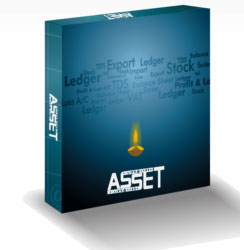
What is Asset

Asset Infotech offers its most popular product ASSET which is available in various options which will cater to the needs of any SME. Further these packages can be customized for any particular type of businesses and are available in both single user and multi-user packages.
  • Some of the key features are
  • Truly windows based software with all standard windows feature available.
  • Unlimited companies with unlimited account period(s).
  • All reports can be instantly viewed, printed or taken into files, emailed, transferred to PDF and Excel.
  • Inter-linked quotation/order/challan/bill (sale or purchase) with one to many and many to one relationship along with order schedules.
  • Excise-manufacturing and Trading with related reports & registers.
  • RG23A-I Register
  • RG23A-II Register
  • RG23C-I Register
  • RG23C-II Register
  • RG-I Register
  • PLA Register
  • RG-23D Register
  • Quarterly Return

FAQ

1. Will I be able to export reports to excel format?
Yes. Most of the reports are designed in such a manner that you can export them to excel, pdf or text format. Use the buttons on top right corner.
2. Can I access the software from multiple machines on lan?
Yes. If you have purchased a multi user license then you can do it depending on the number of users. We provide license in the multiple of 5 users.
3. How to email the invoices, orders and other outgoing documents?
You must have a configured outlook express or outlook on your system. Locate the email button on top right corner of document preview window
4. How to take backup?
Click the backup option from utility menu. It will ask for a file name. Give any meaningful filename and point to a location on your computer. On clicking proceed button the system will start taking backup of currently selected company.
5 .How to create new accounting period?
Use the create new year option from company menu.
6. How to generate customer/vendor ledgers with item details?
Use the transaction checklist option (with item) from ledger view or from reports->accounts menu
7. I have different discounts for different items on a single bill. Is it possible?
Yes. Go to setup->customize your system. Click the inventory tab and locate option "Product wise discount" and select yes from the list of option. Save the page.
8. I have different rates for different customer/vendors. How to incorporate this?
Go to Heads->party wise rate/discount. You can feed different rates for different parties.
9. Is there multi go down facility?
Yes . you can activate this from "customize your system" option from setup menu, in the inventory section.
10. Can I enter multiple documents at the same time?
Yes . Asset is a true window system. The menu bar is always active. You can keep open the existing document window and click on any other option. You can switch between open windows any time with help of "Window" menu.
11. Can I have multiple formats for registers like sale/purchase?
Yes. You can create multiple formats of registers from the setup->registers option.
12. Can I have multiple templates for header and footer of reminder letters, Invoices and other documents?
Yes. You can create as many templates of different kind as you wish.
13. How to create different users with different rights?
Go to security option in the setup menu. Here you can create multiple users with different set of rights.